

How to Fix the "Uninstall detected that App is currently running" Error in Windows 11 or 10
Do you get the “Uninstall has detected that [YOUR APP] is currently running” error when you try to remove an app from your Windows computer?
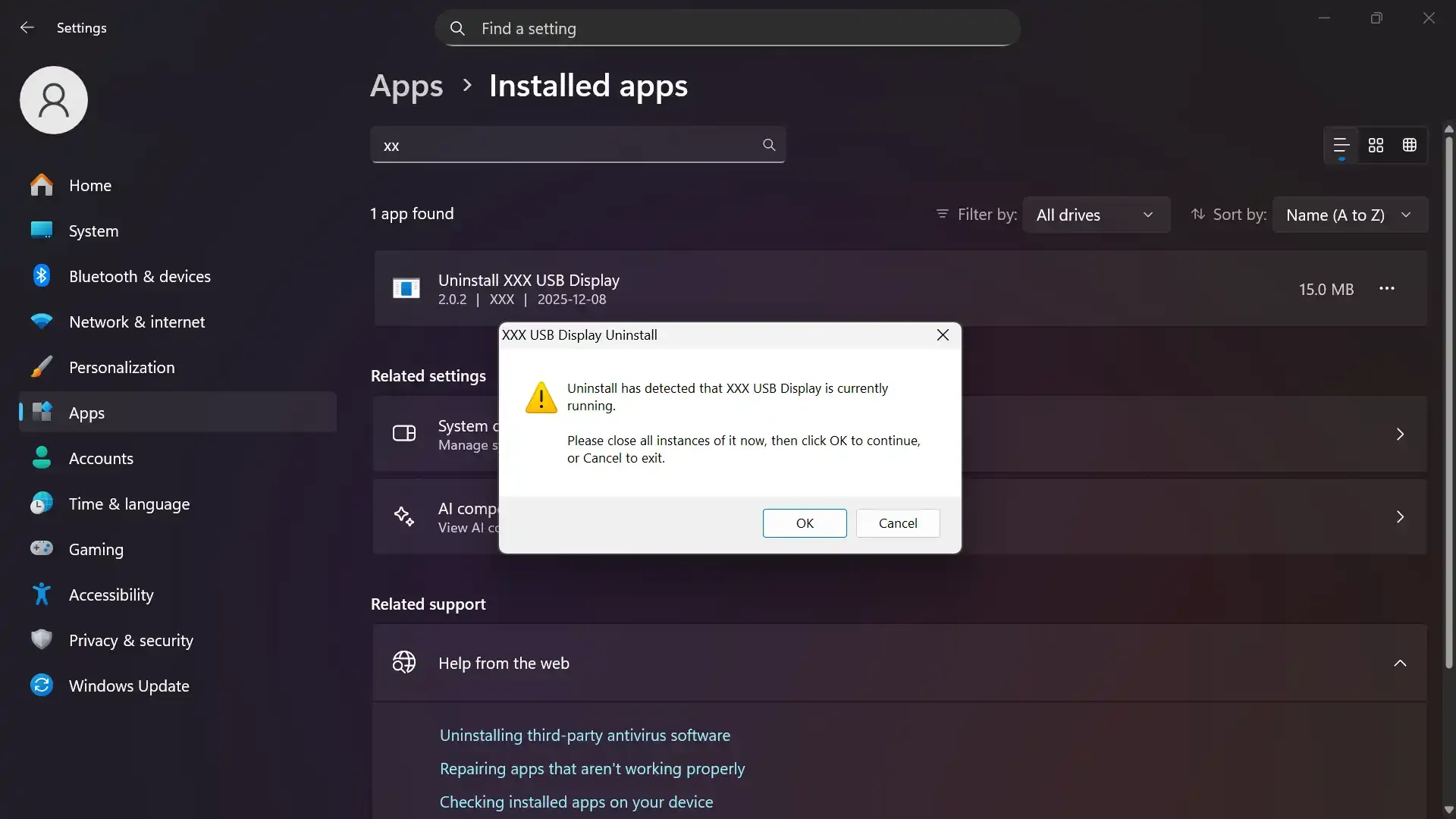
A modal window displays the “Uninstall has detected that XXX USB Display is currently running” error message.
Here’s how you can fix it.
1. Open Task Manager
Section titled “1. Open Task Manager”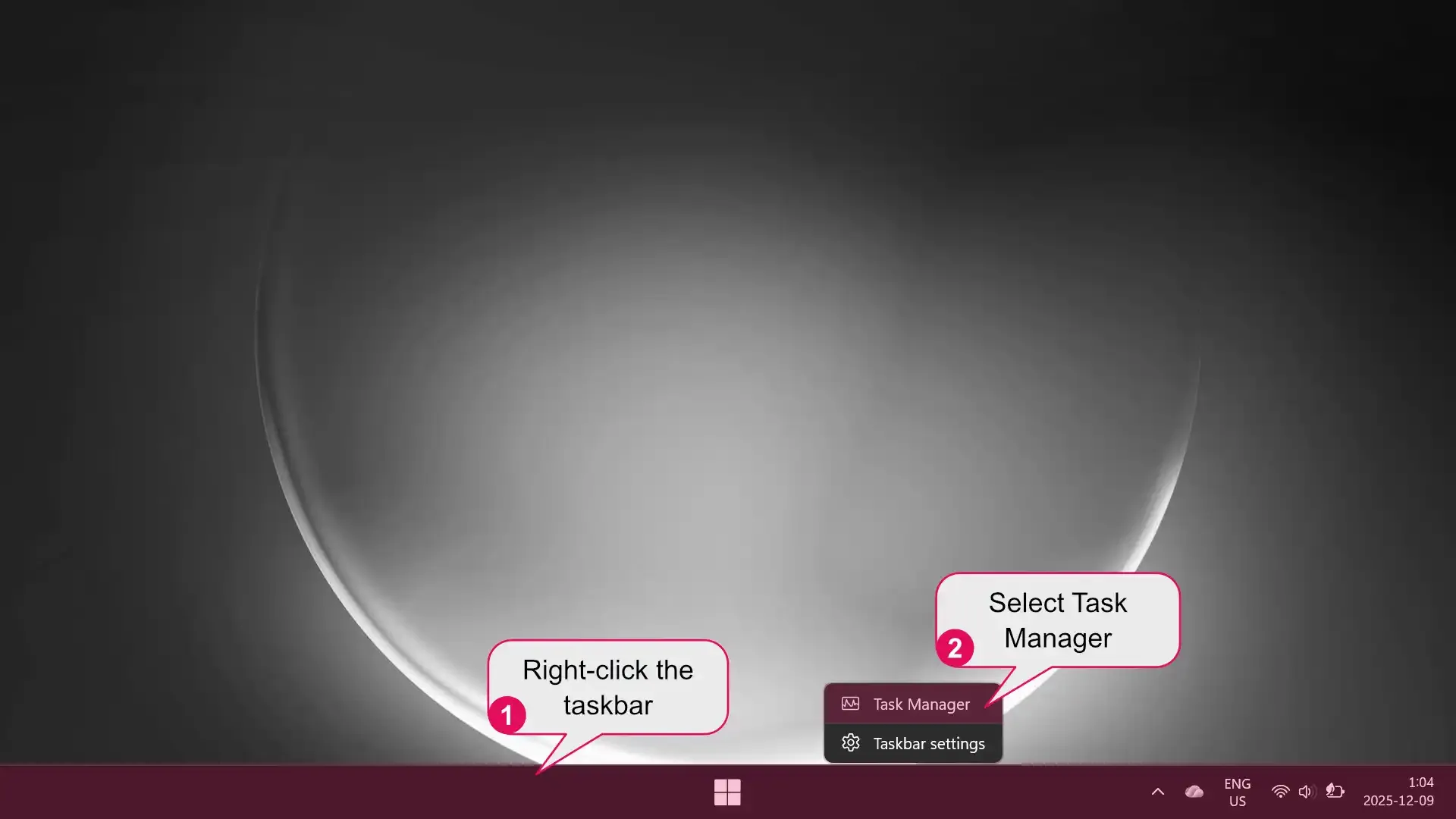
An illustration on how to open the Windows task manager.
- Right-click the taskbar at the bottom of your screen.
- Select Task Manager from the menu.
2. Stop the app from running
Section titled “2. Stop the app from running”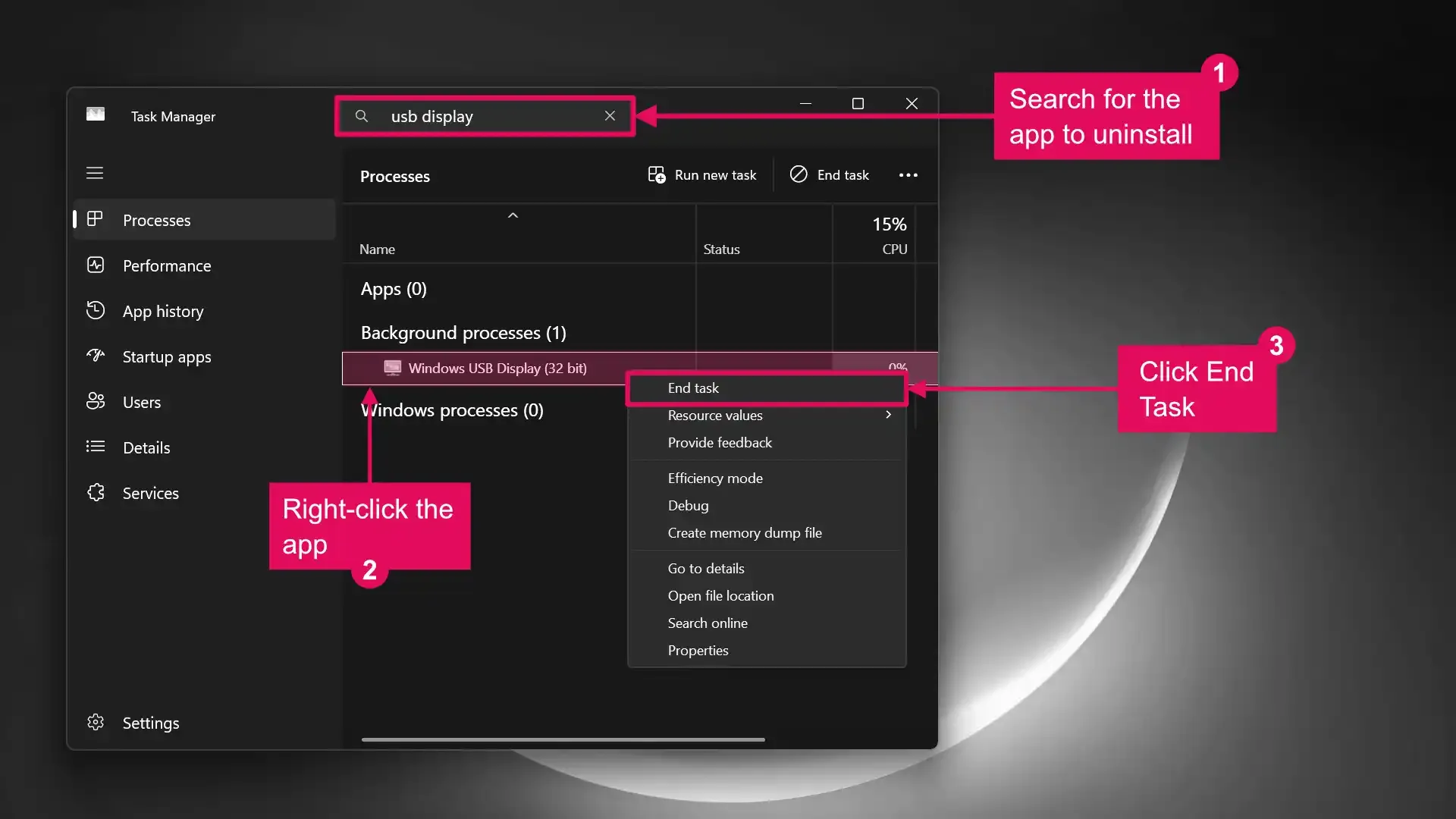
- Type the name of the app you want to uninstall into the search bar.
- When you see the app in the list, right-click it.
- Click End Task.
3. Uninstall the app
Section titled “3. Uninstall the app”Once you stop the app’s background process, you should be able to uninstall it without any issues.