What Is a React Component? – A Quick Guide to Components in React
A component in React is a class or function that accepts a single argument called props and returns an element (UI).
This post provides a snapshot of the Code React Sweetly book. It serves as a quick reference guide.
Syntax of a React component
Section titled “Syntax of a React component”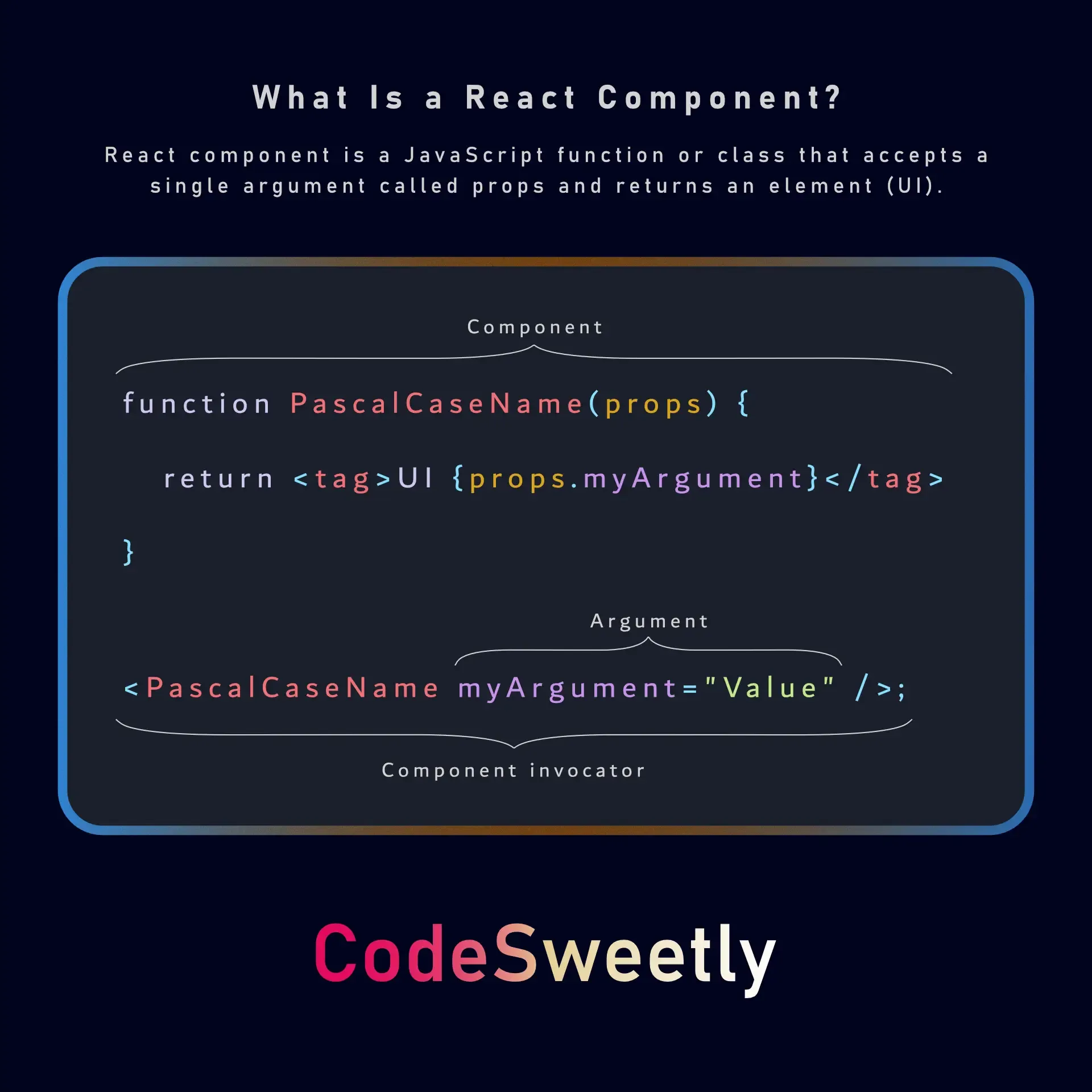
The above image illustrates the constituent parts of a React component:
- A JavaScript function with a Pascal case naming convention.
- A props parameter, which is the only argument React components accept.
- The component’s body, where you place a sequence of statements like variables, hooks, and conditionals.
- A return statement, which is used to output the user interface (UI) you want React to display on-screen. It can be any valid HTML element.
- An invocator that executes the component to retrieve its user interface. The invocator can also pass arguments (props) to the component.
Example
Section titled “Example”function MyBio(props) { return <h1>My name is {props.firstName}.</h1>;}The code in the snippet above is a function component that accepts a single argument (props) and returns a React element.
Best Practice
Section titled “Best Practice”- Capitalize the first letter of your component’s name.
- Don’t use bracket notation expressions in React component tags.
- React components work best as pure functions.
- Create components at the top level of your file.
- Split long components into smaller chunks.
Dive Deep
Section titled “Dive Deep”The complete React component guide is a straightforward, no-fluff guide that focuses on the core concepts necessary to build a solid foundation without extra confusion. Here are the main concepts it covers:
- What is a React Component? – Understand the building blocks of any functional component.
- What Exactly Are Props in React? – Discover how to pass and use data between components.
- How to Invoke React Components – Learn how to activate components.
- Essential Things to Know About React Components – Avoid common pitfalls and sharpen your skills.
- Creating Reusable React Components – Write cleaner, more maintainable code by mastering reusability.
- React Components Practice – Solidify your knowledge with hands-on examples and exercises.