React Trigger vs Render vs Commit vs Paint
Triggering, rendering, committing, and painting are the steps involved in displaying React UIs on screen. Here are the differences between the four steps:
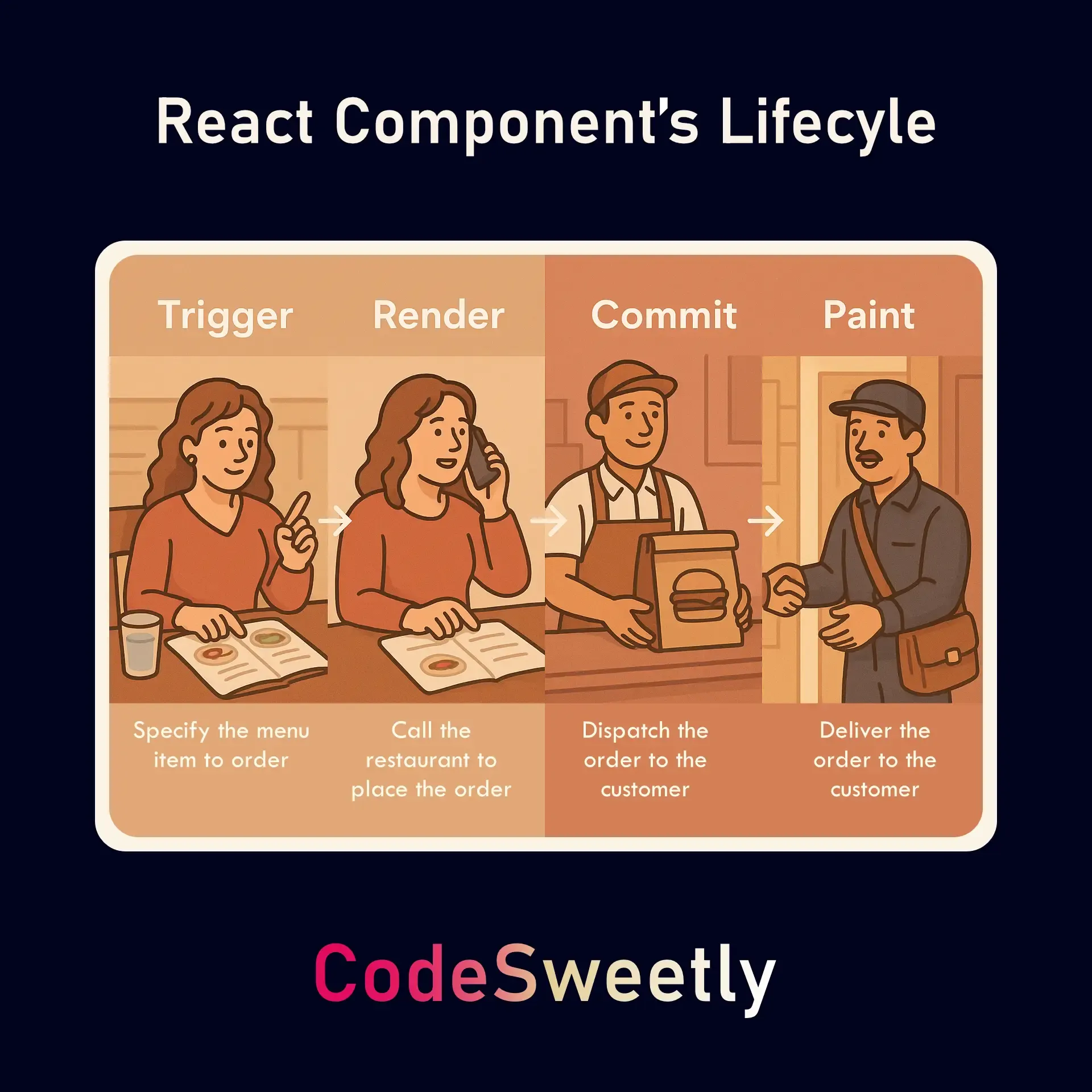
The above slide illustrates the four phases in the lifecycle of a component’s UI:
- Trigger: Specifies the component whose UI you want to display on the screen.
- Render: Calls the component you’ve triggered.
- Commit: Updates the DOM with the UI of the rendered component.
- Paint: Converts the DOM code you’ve committed into user-friendly elements that users can interact with in their browsers.
Let’s discuss these differences in detail.
Triggering a Render in React
Section titled “Triggering a Render in React”The trigger event is the first step in displaying a React user interface (UI) on screen. It specifies the component whose UI you want to display on the screen. This event happens on two occasions:
- When the app starts running. The React application uses the
createRootmethod to specify the component whose UI you want to render to a DOM node.
import ReactDOM from "react-dom/client";import DonationUI from "./components/DonationUI.js";
// When the app starts running, you need to use createRoot and its render method to trigger an initial rendering of the app's root component.const root = ReactDOM.createRoot(document.getElementById("root"));root.render(<DonationUI />);
The snippet above does the following:
- Uses the
ReactDOM.createRoot()method to create aReactDOMRootobject instance for therootelement argument. - Uses the object instance’s
render()method to trigger an initial rendering of theDonationUIcomponent.
In other words, the createRoot().render() method specifies DonationUI as the component whose UI React should display in the root HTML element.
- The second reason a trigger event can happen is when a component’s (or its ancestors’) state gets updated with a set function.
import React from "react";
function DonationUI() {  const [donate, setDonate] = React.useState(false);  function createUserInterface() {    if (donate) {      return (        <p>          <a href="https://www.buymeacoffee.com/codesweetly">Support page</a>.          Thank you so much! 🎉        </p>      );    }    // The setDonate function will trigger a re-rendering of the DonationUI component.    return <button onClick={() => setDonate(true)}>☕ Buy me a coffee</button>;  }  return createUserInterface();}
export default DonationUI;
import ReactDOM from "react-dom/client";import DonationUI from "./components/DonationUI";
const root = ReactDOM.createRoot(document.getElementById("root"));root.render(<DonationUI />);<!DOCTYPE html><html lang="en-US"> <head> <meta charset="utf-8" /> <meta name="viewport" content="width=device-width, initial-scale=1" /> <title>CodeSweetly DonationUI</title> </head> <body> <main id="root"></main> <script type="module" src="index.js"></script> </body></html>The snippet above does the following:
- Defines a component named
DonationUI. - Initializes the component’s state with the Boolean value
false. - Programs the component to return a paragraph element if the state’s
donatevariable istrue. Otherwise, it should return a button element.
When users click the button element, the setDonate setter function will trigger a re-rendering of the DonationUI component.
Rendering React Components
Section titled “Rendering React Components”The rendering step is when React invokes (calls) the component you’ve triggered with either the createRoot method or a set function. Rendering causes React to invoke a component to produce the UI you want to display on the screen. The component React will render depends on the moment the trigger event occurred:
- For an initial trigger (at the start of the app), React will invoke the app’s root component.
- For update triggers (whenever a component’s state gets updated), React will call the function component whose state update initiated the trigger event.
Committing React UI to the Browser’s DOM
Section titled “Committing React UI to the Browser’s DOM”The committing stage is when React updates the DOM with the UI of the rendered component.
There are some important things to note about this process:
- For an initial render (at the start of the app), React will initialize the root DOM with the root component’s UI. It will use the
appendChild()JavaScript API to append the DOM nodes (UI) retrieved from the component into the app’s root HTML element. - For subsequent re-rendering (after the initial commit), React will only update the DOM nodes if there’s a difference between the previous rendering output and the latest one. No changes will occur if the component’s latest output is the same as the previously committed one.
Painting the DOM Nodes on the Screen
Section titled “Painting the DOM Nodes on the Screen”The painting (browser rendering) stage is when the browser repaints the screen to convert the DOM code to user-friendly elements. This is a browser-level process that begins once React has finished updating (committing) the DOM nodes.